

Best AI Tools for Beginners in 2026: Free & Paid Tools to Make Money Online
In 2026, the gap between “having zero skills” and “launching an income-generating side hustle” has never been smaller — and AI tools are the reason why. If you’re looking for the best AI tools for beginners, there’s never been a better time to start. What used to require years of training in writing, design, video editing, or coding can now be done in minutes with the right tool and the right prompt.
But here’s the problem most beginners run into: there are hundreds of AI tools available, and not all of them are worth your time. Some are genuinely powerful and beginner-friendly. Others are overhyped, overpriced, or simply the wrong fit for someone just getting started.
This guide cuts through the noise. It’s not just another list of AI tools—it’s a practical roadmap showing you exactly which tools matter, how beginners can use them to build real online income, and how to create a simple, effective AI tool stack without wasting time or money.
If your goal is to earn online, we also recommend reading our guide on How to Make Money with AI in 2026, where you’ll discover practical ways to turn these tools into real income opportunities.
Whether you’re a student looking for extra income, a freelancer wanting to work faster, or a complete beginner exploring AI for the first time, this guide will show you exactly where to start.
What Are AI Tools?

What Are AI Tools?
AI tools are software applications powered by artificial intelligence that can perform tasks that normally require human skill and time—writing, designing, editing videos, generating voiceovers, or automating repetitive workflows. The best AI tools for beginners are designed to be easy to use, allowing anyone to become more productive without needing technical expertise.
Instead of doing everything manually, you simply give an AI tool an instruction (called a prompt), and it generates the desired output within seconds. For example:
- Ask a text AI tool to write a product description for a handmade candle.
- Ask an image AI tool to create a minimalist logo for a coffee brand.
- Ask an automation tool to send a welcome email every time someone joins your mailing list.
Tasks that once took hours can now be completed in minutes with the right AI tool.
Why AI Tools Are Essential for Online Income in 2026
The reason AI tools matter so much for making money isn’t just convenience—it’s leverage. A single beginner using the best AI tools for beginners can now produce work that previously required an entire team, including a writer, designer, editor, and virtual assistant.
This means you can:
- Serve more freelance clients
- Produce more content in less time
- Launch an online business with minimal upfront costs
- Compete with experienced professionals by working smarter, not harder
However, AI tools alone don’t generate income. Success comes from knowing which tools to use, when to use them, and how to monetize the results. If you’re looking for proven income ideas, don’t miss our guide on How to Make Money with AI in 2026, where we explain practical strategies for turning AI skills into real online income.
That’s exactly what this guide will help you achieve.
Categories of AI Tools (And Why This Matters)

Before choosing individual AI tools, it’s important to understand the main categories. The best AI tools for beginners usually fall into a few key groups, and most successful online income strategies combine tools from multiple categories.
Text AI Tools
Text AI tools help with writing, research, brainstorming, coding assistance, and business strategy. Popular examples include ChatGPT, Claude, and Gemini. This is the first category every beginner should master because strong writing and communication skills are essential for freelancing, blogging, affiliate marketing, and many other online business models.
Image Generation Tools
Image AI tools create original artwork, illustrations, logos, social media graphics, and marketing visuals from simple text prompts. Popular options include Midjourney and Canva AI. These tools are ideal for content creators, graphic designers, print-on-demand sellers, and digital marketers.
Video Creation Tools
Video AI tools generate or edit videos using text prompts, images, or existing footage. Platforms like Runway and Pika help creators produce YouTube videos, TikTok content, marketing videos, and short-form social media content much faster than traditional editing software.
Automation Tools
Automation platforms connect different apps and eliminate repetitive tasks such as sending emails, updating spreadsheets, organizing leads, or responding to customer inquiries. Zapier and Make.com are among the most popular choices and are excellent for freelancers who want to offer AI automation services to businesses.
Voice AI Tools
Voice AI tools generate natural, human-like voiceovers from text. Services like ElevenLabs and Murf are widely used for YouTube narration, podcasts, audiobooks, online courses, and multilingual content creation.
Understanding these categories will help you avoid one of the biggest beginner mistakes—trying to learn every AI tool at once. Instead, choose one or two tools that match your goals, master them, and gradually expand your AI toolkit as your skills and income grow.
Best AI Tools for Beginners in 2026 (Detailed Breakdown)

Here’s an in-depth look at the essential tools every beginner should know, including how to actually use them to make money.
1. ChatGPT
What it is: A conversational AI tool built for writing, research, brainstorming, coding assistance, and general problem-solving.
Best use case: Content writing, freelance client work, brainstorming business ideas, customer support scripting.
How beginners can make money with it: Offer freelance writing or copywriting services using ChatGPT to draft content faster, then edit for quality. It’s also useful for generating business plans, email sequences, and social media captions for clients.
Pros:
- Extremely versatile and beginner-friendly
- Free plan available
- Huge community of tutorials and prompt guides
Cons:
- Can produce generic output without strong prompting
- Requires fact-checking for accuracy
Real-world example: A beginner freelancer uses ChatGPT to draft blog articles for small business clients, cutting writing time by 60% while charging standard freelance rates.
2. Claude
What it is: An AI assistant known for strong performance on long-form writing, detailed analysis, and nuanced editing tasks.
Best use case: In-depth articles, business documents, detailed editing, and tasks requiring careful reasoning.
How beginners can make money with it: Use Claude for longer freelance projects — ebooks, detailed reports, in-depth blog content — where quality and coherence over long documents matter most.
Pros:
- Strong at handling long, complex documents
- Thoughtful, nuanced writing style
- Free tier available
Cons:
- Slightly less known among beginners compared to ChatGPT
- Fewer third-party plugin integrations
Real-world example: A freelance content strategist uses Claude to draft comprehensive pillar articles (2,000+ words) for client blogs, delivering polished long-form content in a fraction of the usual time.
3. Gemini
What it is: Google’s AI assistant, tightly integrated with Google Workspace tools like Docs, Sheets, and Gmail.
Best use case: Research-heavy content, quick fact-checking, and workflows involving Google tools.
How beginners can make money with it: Use Gemini for research-driven freelance work — market research reports, competitor analysis, or content that requires pulling together current information efficiently.
Pros:
- Seamless integration with Google Workspace
- Strong research and summarization capabilities
- Free tier available
Cons:
- Less consistent creative writing style compared to ChatGPT/Claude
- Best results tied to Google ecosystem usage
Real-world example: A virtual assistant uses Gemini inside Google Docs to quickly summarize research and draft client reports without switching between apps.
4. Canva (with AI features)
What it is: A design platform with built-in AI tools for generating graphics, presentations, and marketing materials.
Best use case: Social media graphics, presentations, branding materials, and marketing visuals.
How beginners can make money with it: Offer social media graphic design or presentation design services to small businesses and creators — no professional design background required.
Pros:
- Extremely beginner-friendly drag-and-drop interface
- Generous free plan
- Huge library of templates
Cons:
- Less flexible than professional design software for complex work
- AI-generated designs can look templated without customization
Real-world example: A student offers “Instagram carousel design” services to small businesses using Canva’s AI tools, delivering branded content packs for a flat fee per set.
5. Midjourney
What it is: A leading AI image generation tool known for producing highly detailed, artistic images from text prompts.
Best use case: Digital art, illustrations, concept art, and premium marketing visuals.
How beginners can make money with it: Sell AI-generated art through print-on-demand stores, offer custom illustration commissions, or create stock visuals for marketplaces.
Pros:
- Exceptional image quality and artistic range
- Strong, active community for prompt-sharing
- Frequent updates improving realism and control
Cons:
- No free plan — subscription required
- Learning curve for effective prompting
Real-world example: A creator builds an Etsy shop selling AI-generated fantasy art prints, using Midjourney to produce a growing catalog of designs each month.
6. ElevenLabs
What it is: An AI voice generation tool that creates realistic, natural-sounding voiceovers from text, including multiple languages and voice styles.
Best use case: YouTube video narration, audiobooks, podcast production, and multilingual voiceovers.
How beginners can make money with it: Offer AI voiceover services to video creators, or use it to narrate your own faceless YouTube channel without hiring a voice actor.
Pros:
- Highly realistic voice quality
- Supports multiple languages and accents
- Free tier available for testing
Cons:
- Paid plans required for extended usage
- Some voices require fine-tuning to sound fully natural
Real-world example: A faceless YouTube channel uses ElevenLabs to narrate weekly explainer videos, eliminating the need for on-camera presence or voice talent costs.
7. Runway
What it is: An AI-powered video generation and editing platform capable of creating video content from text prompts or images.
Best use case: Short-form video content, creative video effects, and AI-assisted video editing.
How beginners can make money with it: Offer short-form video creation services for social media, or use it to produce content for your own YouTube/TikTok channel with minimal filming.
Pros:
- Cutting-edge video generation capabilities
- Useful for both creative and marketing video content
- Regularly updated with new features
Cons:
- Steeper learning curve than text or image tools
- Free plan is limited; heavier usage requires payment
Real-world example: A social media freelancer uses Runway to produce short promotional video clips for e-commerce clients without needing filming equipment.
8. Zapier / Make.com
What it is: No-code automation platforms that connect different apps and AI tools to automate repetitive workflows.
Best use case: Automating business processes like lead follow-ups, customer support replies, appointment reminders, and data entry.
How beginners can make money with it: Offer “AI automation setup” services to small businesses — for example, building a workflow that automatically responds to customer inquiries or organizes leads.
Pros:
- No coding required
- Massive library of app integrations
- Free tier available for basic workflows
Cons:
- Can get complex for advanced multi-step automations
- Paid plans needed for higher usage volume
Real-world example: A freelancer builds a simple Zapier workflow that automatically sends a personalized AI-generated welcome email to every new customer for a small online store, charging a one-time setup fee.
Best Free AI Tools for Beginners (Free vs Paid Comparison)
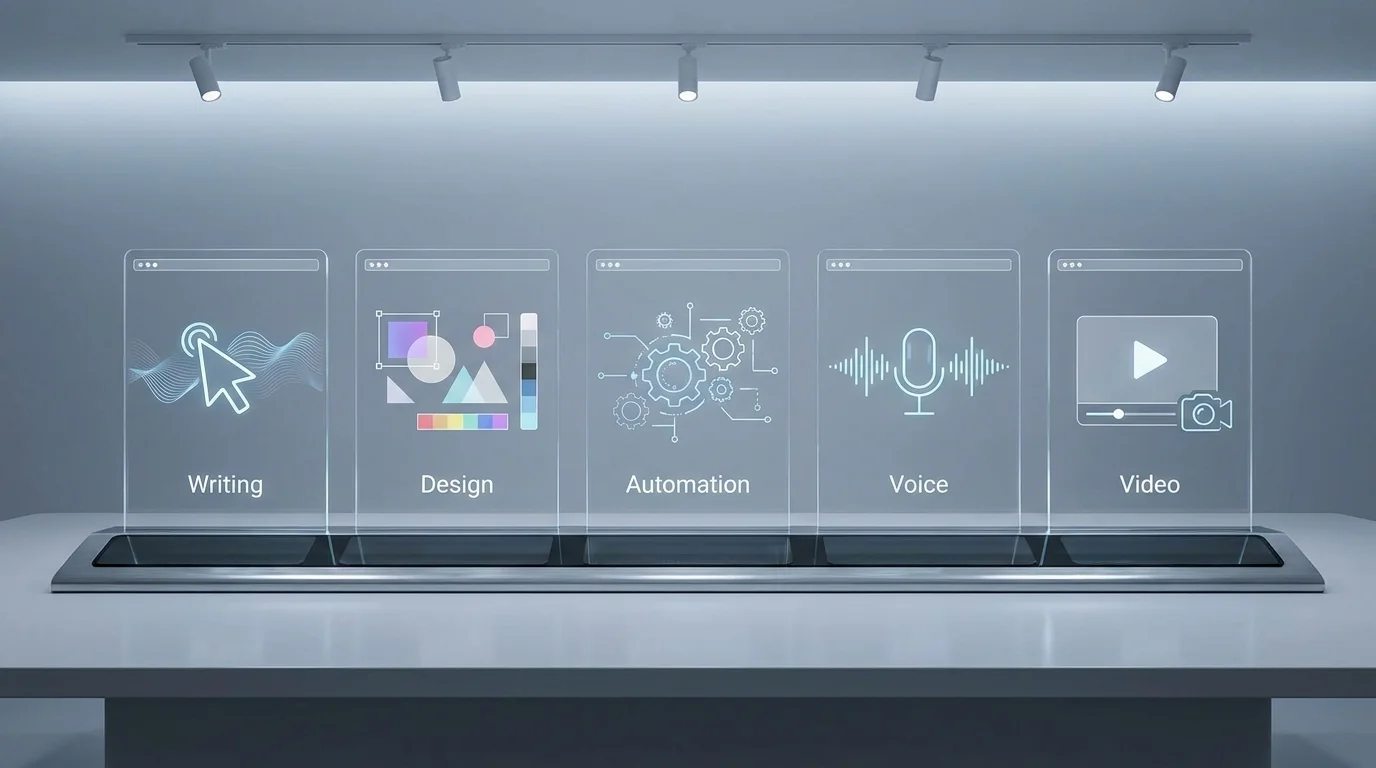
You don’t need to spend money to get started. Here’s how the most beginner-friendly tools compare across free and paid tiers:
| Tool | Free Plan | Paid Plan Starts At | Best For | Beginner Friendliness |
|---|---|---|---|---|
| ChatGPT | Yes | ~$20/month | Writing, research, brainstorming | ⭐⭐⭐⭐⭐ |
| Claude | Yes | ~$20/month | Long-form writing, analysis | ⭐⭐⭐⭐⭐ |
| Gemini | Yes | ~$20/month | Research, Google Workspace tasks | ⭐⭐⭐⭐ |
| Canva | Yes (generous) | ~$13/month | Design, social graphics | ⭐⭐⭐⭐⭐ |
| Midjourney | No | ~$10/month | AI art, illustrations | ⭐⭐⭐ |
| ElevenLabs | Yes (limited) | ~$5/month | Voiceovers, narration | ⭐⭐⭐⭐ |
| Runway | Limited | ~$15/month | Video generation/editing | ⭐⭐⭐ |
| Zapier | Yes (limited tasks) | ~$20/month | Automation workflows | ⭐⭐⭐⭐ |
| Make.com | Yes (limited tasks) | ~$9/month | Automation workflows | ⭐⭐⭐⭐ |
Beginner tip: Start entirely on free plans. Only upgrade to a paid plan once you’re actively earning money from a specific tool — let your income justify the investment, not the other way around.
How to Make Money Using These AI Tools
Understanding the tools is only half the equation — here’s how beginners are actually turning them into income streams.
AI Freelancing
Use text and design tools (ChatGPT, Claude, Canva) to offer services like content writing, resume writing, or social media design on platforms like Fiverr and Upwork. This is often the fastest way for beginners to land their first paying client, since demand for AI-assisted freelance services continues to grow.
AI Content Creation
Combine text tools with image or video tools to produce blog posts, social media content, or marketing materials for clients or your own brand. Consistency here builds a portfolio that attracts higher-paying clients over time.
AI YouTube Channels
Pair a text tool (for scripting), a voice tool like ElevenLabs (for narration), and a video tool like Runway or CapCut (for editing) to build a “faceless” YouTube channel. Monetize through ad revenue, sponsorships, and affiliate links once you hit platform thresholds.
AI Blogging
Use a text AI tool to speed up research and drafting for a niche blog, focusing on a specific audience (e.g., “AI tools for teachers” or “AI for small business owners”). Monetize through display ads, affiliate marketing, and sponsored content as traffic grows.
AI Automation Services
Use Zapier or Make.com to build simple automations for small businesses — like auto-replying to inquiries or organizing leads — and charge setup fees plus optional monthly maintenance. This is one of the highest-paying beginner-accessible services, since automation directly saves businesses time and money.
Beginner Tool Stack (Start Here)
If you’re overwhelmed by choice, here’s the simplest possible starting stack — one tool per essential category, plus one monetization method to focus on first:
- 1 Writing Tool: ChatGPT or Claude (for drafting, research, and client communication)
- 1 Design Tool: Canva (for graphics, presentations, and branding)
- 1 Automation Tool: Zapier or Make.com (for simple workflow automation, once you’re ready to scale services)
- 1 Monetization Method: Pick ONE — freelancing, blogging, or a YouTube channel — and focus entirely on it for your first 60–90 days
This “starter stack” is intentionally minimal. The goal isn’t to master every AI tool available — it’s to get good enough at a small set of tools to start generating real income, then expand from there.
Common Mistakes Beginners Make

Even with the best AI tools for beginners, many people struggle because they focus on the wrong things. Avoid these common mistakes to save time, improve your results, and build a sustainable online income.
- Using too many AI tools at once. Jumping between multiple platforms without mastering any of them leads to confusion, inconsistent results, and wasted time. Start with a small, focused AI toolkit and expand only when necessary.
- Not choosing a niche. Trying to serve every client or create content about every topic makes it difficult to build authority. Focusing on one niche helps you develop expertise, attract the right audience, and grow faster.
- Expecting overnight success. AI tools can dramatically increase your productivity, but they don’t replace consistency. Building a successful blog, YouTube channel, freelance business, or affiliate website still takes time and continuous effort.
- Ignoring quality control. Never publish raw AI-generated content without reviewing, editing, and fact-checking it. Human expertise and personal insights are what make content trustworthy and valuable.
- Paying for too many premium tools too soon. Most beginners can achieve excellent results using free plans. Upgrade only when a specific AI tool is already helping you generate income.
- Skipping prompt engineering skills. Learning how to write better prompts is one of the highest-return skills you can develop. A well-crafted prompt often produces dramatically better results than simply switching to another AI tool.
By avoiding these mistakes, you’ll get far more value from your AI tools while building skills that continue to pay off over time.
The Future of AI Tools in 2026 and Beyond

AI tools are evolving quickly, and understanding where things are headed can help beginners position themselves early.
- AI agents are becoming more capable of handling multi-step tasks autonomously — such as researching a topic, drafting content, and scheduling a post — without constant manual prompting. This will create new opportunities for people who know how to configure and manage these agents for businesses.
- Deeper automation means more small businesses will rely on freelancers who can set up AI-driven workflows, making automation skills increasingly valuable.
- The no-code revolution continues to expand, allowing beginners to build simple apps, chatbots, and tools without any coding knowledge — opening the door to AI-powered “micro-SaaS” businesses run by solo creators.
- Tool consolidation is likely, with platforms increasingly combining writing, image, and automation features into single ecosystems — making it even easier for beginners to manage a lean, efficient tool stack.
The beginners who succeed long-term won’t be the ones who chase every new tool release — they’ll be the ones who master a focused stack, stay consistent, and adapt as the technology evolves.
Frequently Asked Questions
1. What are the best free AI tools for beginners in 2026? ChatGPT, Claude, Gemini, and Canva all offer strong free plans that are more than enough for beginners to start freelancing, blogging, or creating content without any upfront investment.
2. Which AI tool is best for making money as a complete beginner? ChatGPT and Claude are generally the best starting points, since writing and content-based skills apply to almost every online income method, from freelancing to blogging to social media content.
3. Do I need to pay for AI tools to make money online? No. Most beginners can start entirely on free plans and only upgrade to paid tools once a specific tool is directly contributing to their income.
4. What is the easiest AI tool combination for a beginner tool stack? A simple stack of one writing tool (ChatGPT or Claude), one design tool (Canva), and one monetization method (freelancing, blogging, or YouTube) is enough to get started without overwhelm.
5. Are there good ChatGPT alternatives for beginners? Yes — Claude and Gemini are both strong ChatGPT alternatives, each with particular strengths: Claude for long-form writing and analysis, and Gemini for research tasks integrated with Google Workspace.
6. Can AI automation tools like Zapier really help beginners make money? Yes. Beginners can learn basic no-code automation and offer setup services to small businesses, which is often one of the higher-paying beginner-accessible AI services due to the direct time savings it provides clients.
7. How long does it take to start earning money using AI tools? With consistent effort, many beginners land their first paid gig, blog milestone, or monetized content piece within 30 to 60 days of focused work using a simple tool stack.
Conclusion: Build Your Tool Stack, Then Build Your Income
The AI tools covered in this guide aren’t just impressive technology — they’re practical, accessible income-building instruments available to anyone willing to learn the basics. You don’t need a technical background, a big budget, or years of experience. You need a focused tool stack, a specific monetization method, and the consistency to keep showing up.
Start small. Pick one writing tool, one design tool, and one income method from this guide. Master them before adding anything new. The beginners who succeed with AI in 2026 aren’t the ones using the most tools — they’re the ones using the right tools, consistently, with a clear plan.
Ready to take the next step? Explore more AI guides on AI Money Forge for deeper tool tutorials, niche strategies, and real case studies to help you turn these tools into sustainable online income.